




Frequently Asked Questions
How to enter multiple networks for Traffic Control
If you need to enter multiple remote networks, or want to adjust routing for multiple networks with Traffic Control, you can do so by clicking the plus arrow to the left of the configuration:
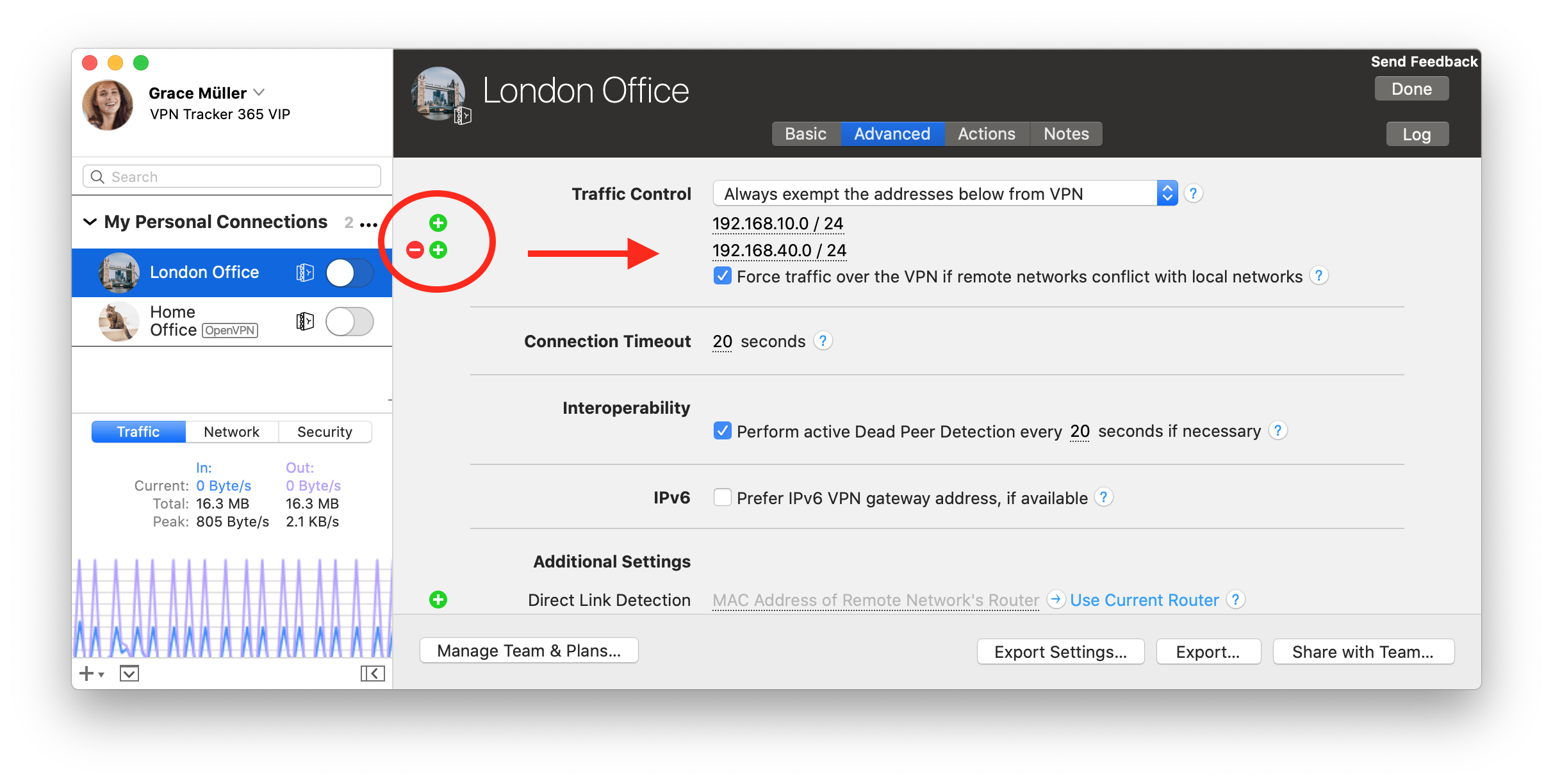
Here you can add and remove address fields to use with Traffic Control.
You can enter the addresses or networks in the following formats:
Here you can add and remove address fields to use with Traffic Control.
You can enter the addresses or networks in the following formats:
- As a single address, e.g. "192.168.10.4",
- as a single remote network, e.g. "192.168.10.0" (VPN Tracker will use the most typical subnet),
- in CIDR notation, e.g. "192.168.10.0/24",
- or with the full subnet, e.g. "192.168.10.0 / 255.255.255.0", which VPN Tracker will then convert to CIDR notation.