




Frequently Asked Questions
How can I add a Bcc address field in Mail Designer Pro?
Open the design you want to send.
Click "Send this Mail" from the toolbar.
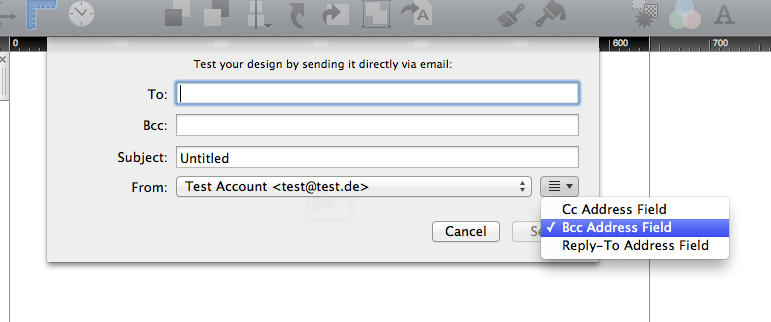
Please click the button right next to the "From:" field.
Click "Bcc Address Field".
By following these steps you can also add a Cc address field and a Reply-to address field to the send window.
With Mail Designer Pro you can send emails directly via the application.
Please follow these steps, to add a Bcc address field to the send window.
By following these steps you can also add a Cc address field and a Reply-to address field to the send window.